Extracting game files
Rename .iwd files
All files game are packaged in .iwd file in main folder.
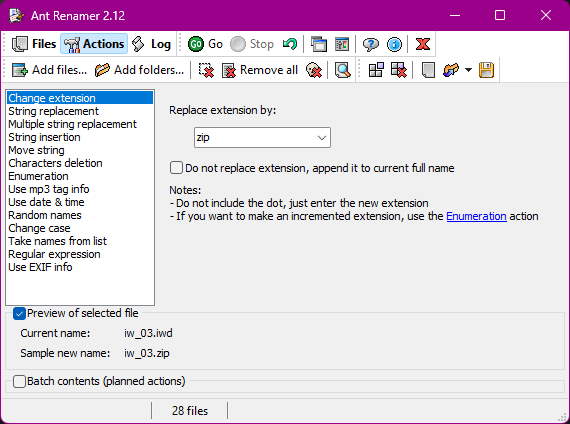
Open ANT Renamer and drag and drop it all .iwd files.
Go to Actionsand Change extension, set new extension to zip.
Click on Go and close ANT Renamer.
Select all .zip files and extract in the same folder.
Replace existing extracted files if necessary.
Interesting folders
Folders images, maps, xmodel, and xanim was the most interesting for data extraction.